Hello, everyone. This is Sudden Attack Zero Point.
We have discovered an issue regarding NVIDIA G-SYNC settings when launching Sudden Attack Zero Point, and we would like to share more details along with a solution.
Known Issue
When the [Enable for windowed and full screen mode] option is selected in the G-SYNC settings, the game may fail to launch.
Temporary Solution
1) Open NVIDIA Control Panel
Right-click on the desktop → Select NVIDIA Control Panel or search for NVIDIA Control Panel in the Windows search box and launch it
2) Go to the G-SYNC settings menu
3) In the left-hand menu, click [Display] → [Set up G-SYNC]
4) Click the [Enable G-SYNC, G-SYNC Compatible] check box to 'un-check' the box.
_47e0ffed3e334acb901f5730df6cc36c.png)
5) Apply the settings by clicking [Apply] in the lower right corner
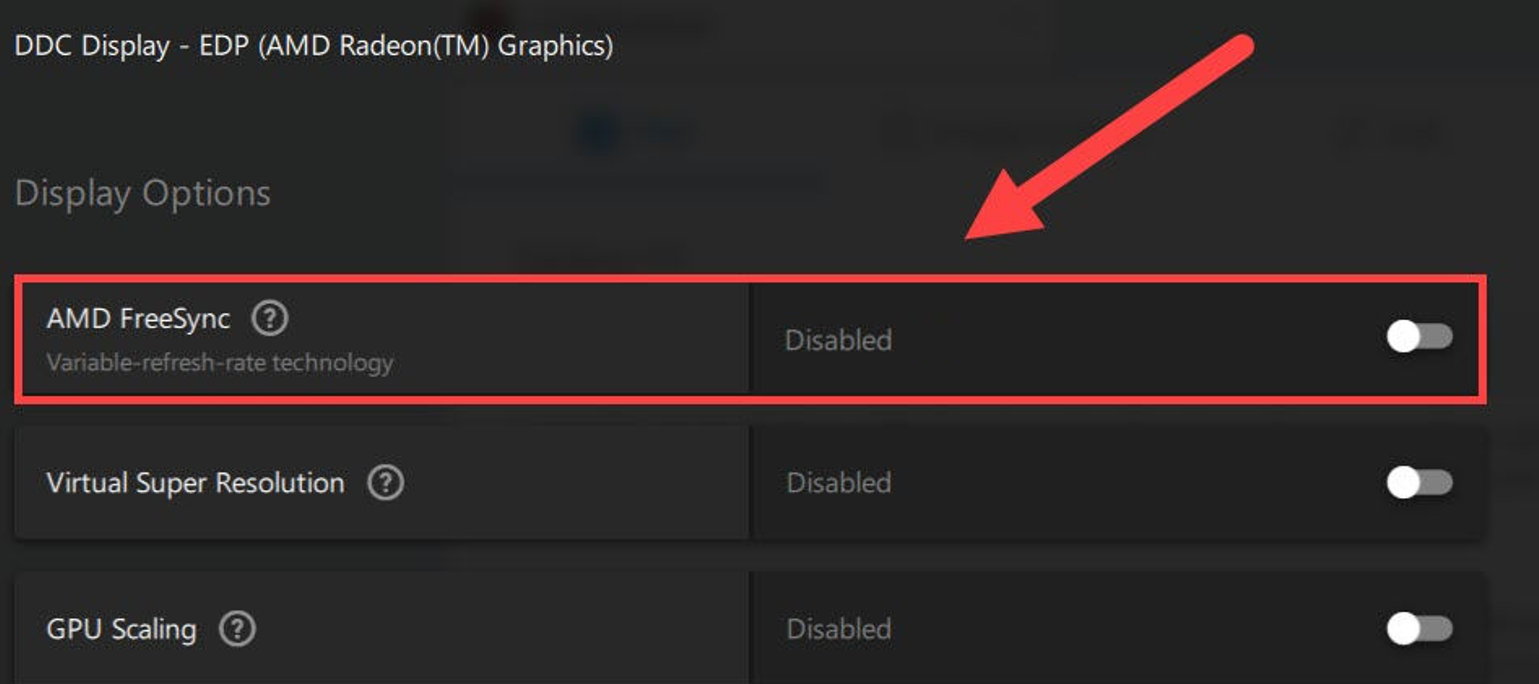
Notice for Users with AMD Graphics Cards
Go to the AMD Graphics Card Option Settings Menu > Select Display > Set AMD FreeSync Option: Disabled
Our development team is aware of the issue and plans to modify and improve it in future updates.
Please follow the temporary solution above to ensure you can launch and play the game smoothly.
Thank you.